
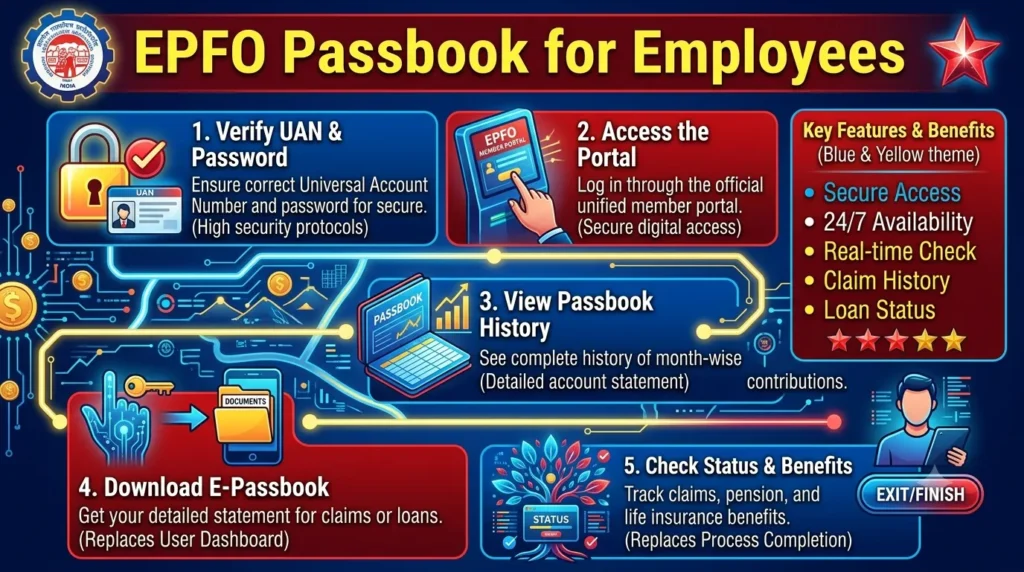
The EPFO Passbook is one of the most useful online services offered by the Employees’ Provident Fund Organisation (EPFO). It allows employees to check their Provident Fund (PF) balance, monthly contributions, interest earned, and employer contributions from anywhere. Instead of visiting an EPFO office, members can access their passbook online within minutes.
If you are a salaried employee with an active Universal Account Number (UAN), the EPFO Passbook helps you track your retirement savings and verify that your employer is depositing PF contributions regularly.
What is an EPFO Passbook?
An EPFO Passbook is a digital statement of your Provident Fund account. It contains a detailed record of every contribution made by both the employee and the employer. The passbook is updated periodically after EPFO receives contribution details from employers.
Using the passbook, employees can:
- View current PF balance
- Check monthly employee and employer contributions
- Verify interest credited by EPFO
- Track multiple PF accounts linked to the same UAN
- Download the passbook for future reference
Who Can Access the EPFO Passbook?
Employees can access the EPFO Passbook if they meet the following conditions:
- They have an activated UAN.
- Their UAN is linked with Aadhaar, PAN, and bank account.
- The employer has submitted PF contributions.
- The EPFO member portal account is active.
Employees whose UAN is not activated must complete the activation process before accessing the passbook.
Benefits of EPFO Passbook
The EPFO Passbook offers several advantages for employees.
Track PF Contributions
Employees can verify whether monthly PF contributions are being deposited correctly by their employer.
Monitor Retirement Savings
The passbook provides a complete overview of retirement savings accumulated over the years.
Easy Online Access
Employees can access their passbook anytime without visiting an EPFO office.
Download Digital Records
The passbook can be downloaded as a PDF for personal records, loan applications, or financial planning.
Multiple Member IDs
Employees who changed jobs can view passbooks for multiple Member IDs linked to the same UAN.
Information Available in the EPFO Passbook
The passbook contains detailed information, including:
- UAN number
- Member ID
- Employee name
- Employer details
- Monthly employee contribution
- Monthly employer contribution
- Pension contribution
- Interest credited
- Total PF balance
- Date-wise transaction history
How to View EPFO Passbook
Employees can access their passbook by following these steps:
- Visit the official EPFO Member Passbook portal.
- Click on the Member Passbook option.
- Enter your UAN.
- Enter your password.
- Complete the security verification.
- Log in to your account.
- Select your Member ID.
- The EPFO Passbook will appear on the screen.
Employees can also download the passbook in PDF format for offline use.
How to Download EPFO Passbook
Downloading the passbook is simple.
- Log in using your UAN credentials.
- Select the desired Member ID.
- Open the passbook.
- Click the Download or Print option.
- Save the PDF to your device.
The downloaded passbook can be used whenever needed.
How Often is the EPFO Passbook Updated?
The EPFO Passbook is not updated instantly after salary deduction.
Generally:
- Employer contributions appear after they are submitted to EPFO.
- Updates may take several days.
- Interest is credited annually and reflected after EPFO processes it.
Employees should wait for updates if recent contributions are not visible immediately.
Why is My EPFO Passbook Not Showing?
Sometimes employees cannot access their passbook due to common reasons.
Possible causes include:
- UAN not activated
- Incorrect password
- Employer has not submitted contributions
- Newly created PF account
- EPFO server maintenance
- Aadhaar not linked with UAN
Most of these issues are resolved after employer submissions or account verification.
Read Must – Epfo Login Guide
Common Issues While Accessing the EPFO Passbook
Employees may experience a few common problems.
Invalid UAN
Ensure you are entering the correct UAN linked to your PF account.
Forgot Password
Reset the password through the UAN portal using your registered mobile number.
Passbook Not Available
New members may need to wait until the employer uploads contribution details.
Server Busy
Heavy traffic on the EPFO portal can temporarily affect access. Try again later.
Tips for Employees
To make the best use of the EPFO Passbook:
- Check your passbook every month.
- Verify employer contributions regularly.
- Keep Aadhaar linked with your UAN.
- Update your mobile number when necessary.
- Download important passbooks for future reference.
- Report missing contributions immediately.
EPFO Passbook vs PF Statement
Although both contain PF information, there are slight differences.
| EPFO Passbook | PF Statement |
|---|---|
| Available online | May be requested separately |
| Updated regularly | Generated for specific periods |
| Shows transaction history | Used for official verification |
| Easy to download | Sometimes issued on request |
For most employees, the online EPFO Passbook is sufficient.
Frequently Asked Questions
Is the EPFO Passbook free?
Yes. Employees can access and download it free of cost.
Can I access my old PF accounts?
Yes. Multiple Member IDs linked to your UAN can usually be viewed separately.
Does the passbook show pension contributions?
Yes. Employer pension contributions are displayed.
Can I download the passbook anytime?
Yes, as long as the EPFO portal is operational and your account is active.
Is the EPFO Passbook updated daily?
No. Updates depend on employer submissions and EPFO processing.
Conclusion
The EPFO Passbook is an essential tool for every salaried employee. It provides complete transparency regarding Provident Fund contributions, accumulated balance, and interest earned over time. By checking the passbook regularly, employees can ensure that employer contributions are deposited correctly and maintain accurate records of their retirement savings.
Whether you want to verify your PF balance, monitor monthly deposits, or download a digital record, the EPFO Passbook makes managing your Provident Fund account simple, secure, and convenient. Regularly reviewing your passbook is a good financial habit that helps you stay informed about your long-term retirement corpus.